
Zoom Tanzania lists thousands of jobs from companies and organisations across Tanzania. You can search by job title, browse by category or location, narrow the results with filters, or ask AjiraChat to find jobs for you. Here’s how each one works.
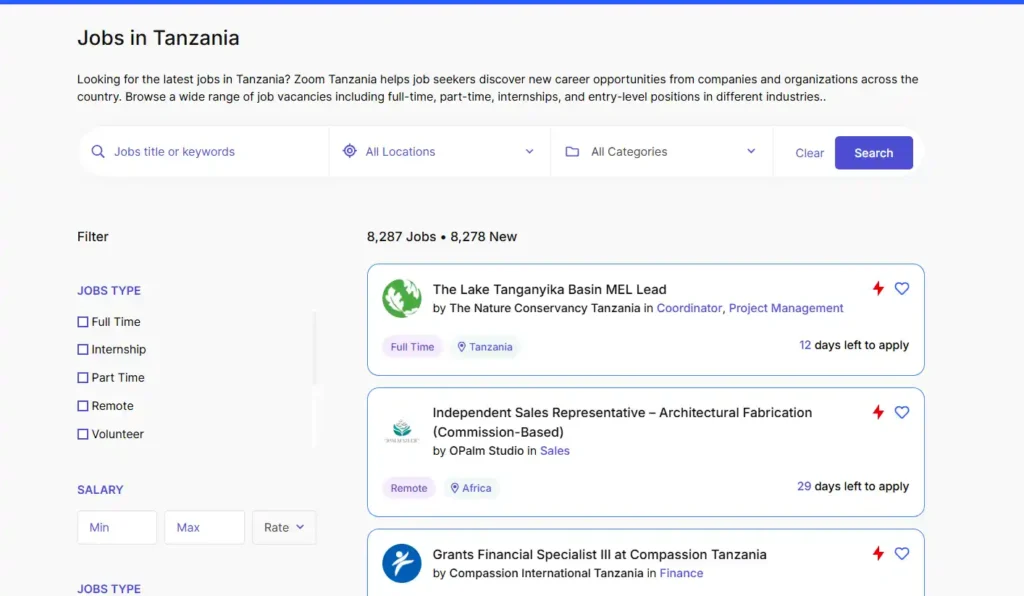
Search by Job Title or Keyword
- Go to the ZoomTanzania Jobs Portal.
- In the “Jobs title or keywords” box, type the job you want, for example Accountant, Driver or Nurse.
- Choose a region from “All Locations”, or leave it to search all of Tanzania.
- Click “Search”.
Browse by Category or Location
If you are not sure what job title to search for, click Categories to see jobs by field, such as Banking, Healthcare, Engineering or Education. Click Locations to see jobs in one region, such as Dar es Salaam, Arusha, Dodoma, Mwanza or Zanzibar.
Narrow Your Results With Filters
After you search, use the filters to show only the jobs that fit you:
- Job type – Full Time, Part Time, Internship, Remote, Volunteer and more.
- Level – Fresher, Junior, Middle or Senior.
- Experience – how many years of experience the job asks for.
- Salary – enter a minimum and maximum, and choose whether the pay is per hour, day, week, month or year.
To start again, click “Clear All”.
Search With AjiraChat
You can also describe the job you want in everyday words, and AjiraChat finds matching jobs for you. For example:
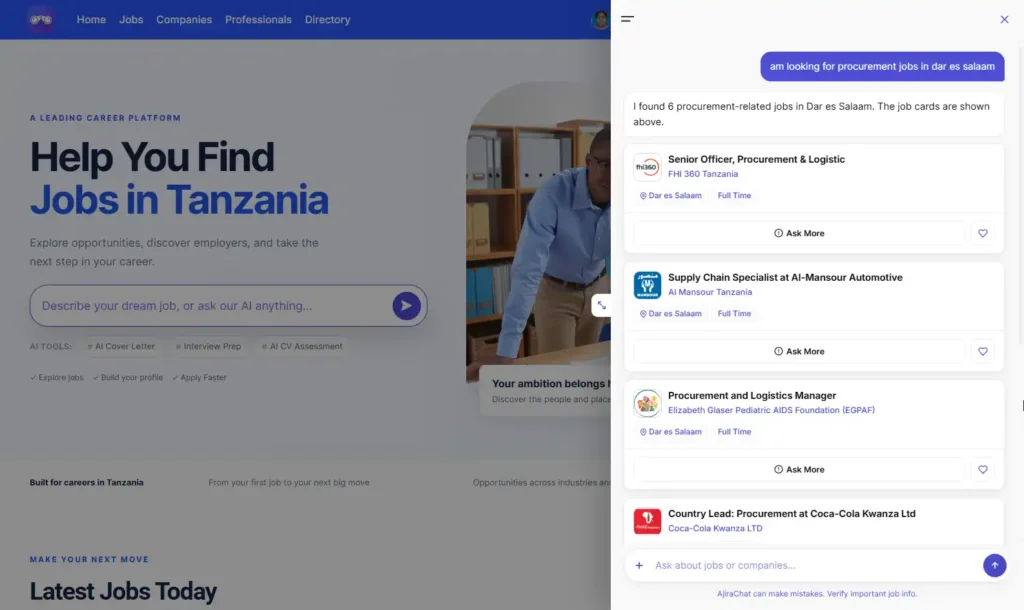
- “Find accounting jobs in Dar es Salaam.”
- “Show me internships for fresh graduates.”
- “I’m looking for driver jobs in Arusha.”
You can keep asking to narrow the results, for example “Only show full time jobs.” If your candidate profile is complete, AjiraChat uses it to show jobs that match your experience.
Save Jobs for Later
Click the heart icon on any job to save it. You need to be logged in. To find your saved jobs, go to your dashboard, open My Jobs and click Wishlist.
Get New Jobs by Email
Instead of searching every day, let new jobs come to you.
- Go to Create Job Alert.
- Enter your email and phone number.
- Choose a job category and location.
- Choose how often you want emails: Daily, Weekly or Monthly.
- Click “Create job alert”.
Pro Tip
Start with a short search, like Accountant, then use the filters. A long search such as “senior accountant for a bank in Dar es Salaam” can hide jobs that would suit you.