
Zoom Tanzania functions as a leading career platform, allowing organizations to find top talent and connect directly with qualified candidates. To access these recruitment tools, you must first create a dedicated corporate profile. Selecting the Employer or Company path unlocks specialized job posting dashboards, applicant tracking systems, and candidate search features designed to streamline your hiring process.
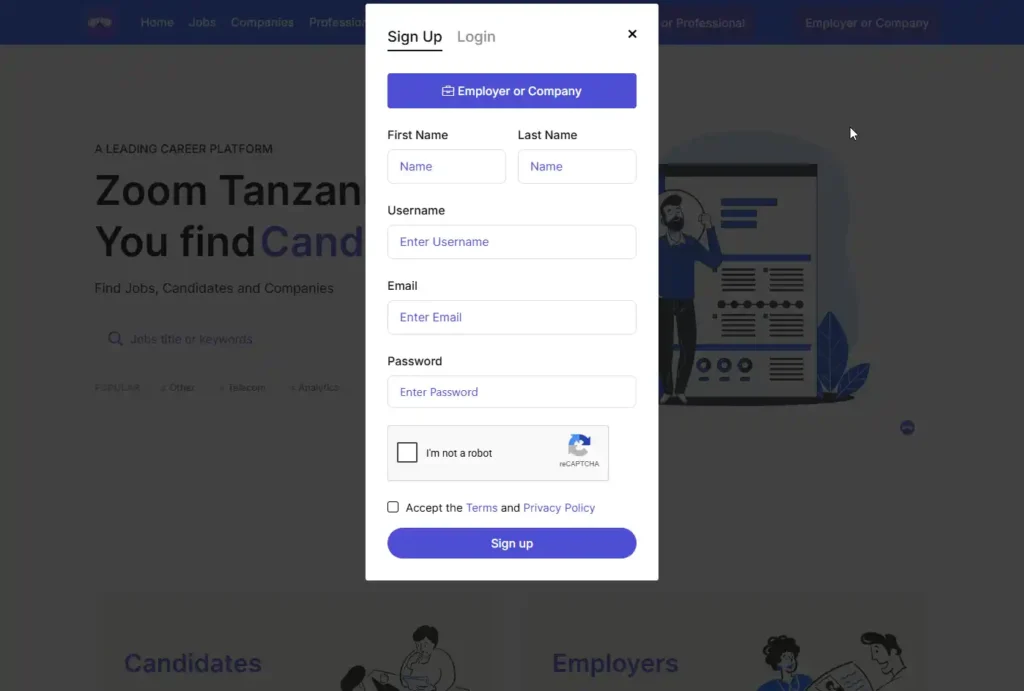
Step 1: Navigate to the Registration Interface
- Desktop Path: Look at the top right corner of the website and click “Employer or Company”.
- Mobile Path: Tap the hamburger menu icon (three lines) on the top left, then select “Employer”.
- Direct URL: Alternatively, navigate directly to zoomtanzania.net/register in your browser.
Step 2: Choose Your Account Category
- Toggle Role: Click the large purple button labeled “Employer or Company” at the top of the sign-up form.
- Verify Selection: Ensure this specific mode stays highlighted before entering personal data.
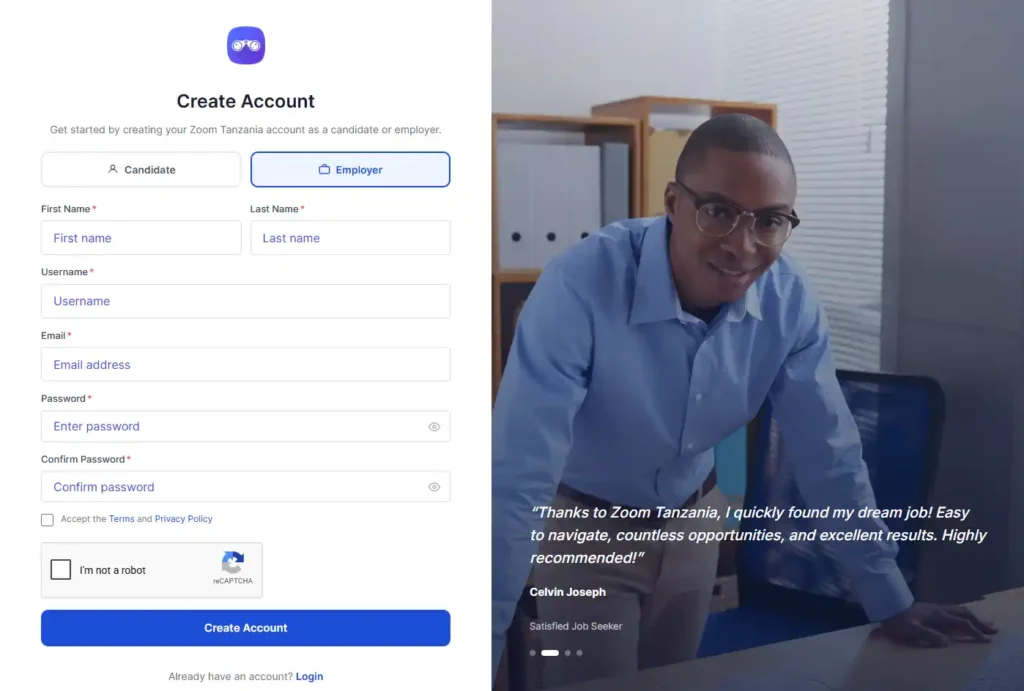
Step 3: Complete Personal & Security Details
- Names: Input your hiring manager’s First Name and Last Name.
- Username: Create a unique, memorable username for the recruiter profile.
- Email Address: Enter an active, official corporate email address for talent notifications.
- Secure Password: Set up a highly secure password to protect your corporate account.
Step 4: Verification and Submission
- Security Check: Click the checkbox for the “I’m not a robot” reCAPTCHA puzzle.
- Accept Terms: Check the box to agree to the platform’s Terms and Privacy Policy.
- Finalize Sign Up: Click the solid purple “Sign up” button at the bottom of the form.
Step 5: Verify via OTP Email Code
- Check Inbox: Open the email account used during sign-up to find a message from zoomtanzania.net.
- Find Code: Open the email titled “Your Zoom Tanzania verification code” and copy the 6-digit bold code.
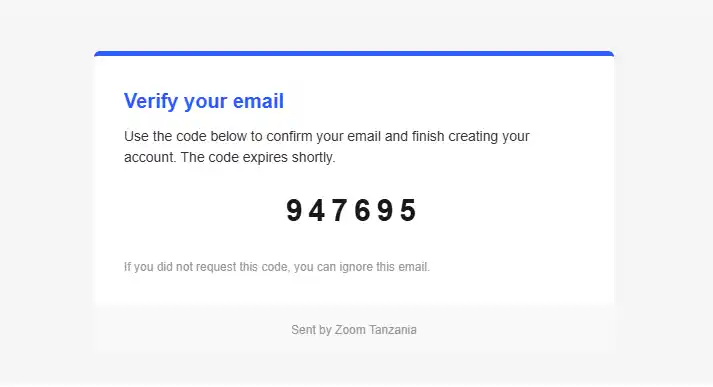
- Activate Account: Return to the registration screen, enter the OTP code, and submit to finalize your account setup.
Registering as an employer and completing email verification is the foundational step to launching your recruitment campaigns and managing job openings across East Africa. By establishing this verified hiring account, you gain immediate entry to administrative tools tailored to post open positions, track applicants, and screen candidates efficiently. Once complete, you can seamlessly proceed to the “Jobs” dashboard to start publishing your open roles.