
Posting a job on Zoom Tanzania takes five steps: create an employer account, set up your company profile, buy a package, fill in the job form and wait for approval. Here’s how to do each one.
Step 1: Create an Employer Account
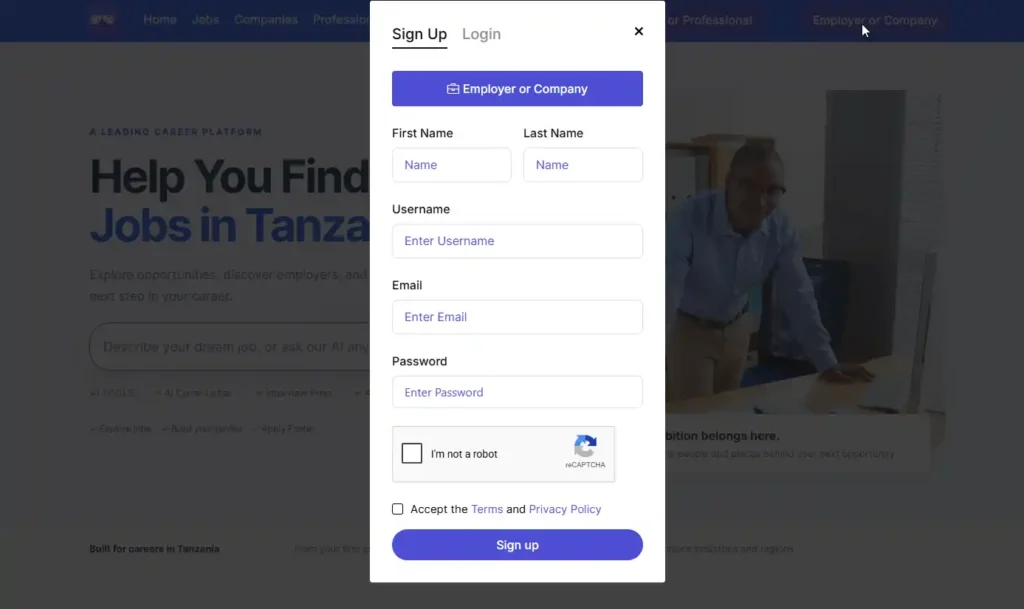
- Click “Sign Up” and choose “Employer or Company“.
- Enter your first name, last name, username, email and password.
- Accept the Terms and Privacy Policy, then click “Sign up”.
- Check your email for a verification code, enter it and click “Verify”.
Step 2: Create Your Company Profile
This step is important. Every job is posted under a company, and candidates see your company name, logo and description on the job. A complete company profile makes your job look trustworthy and gets more applications.
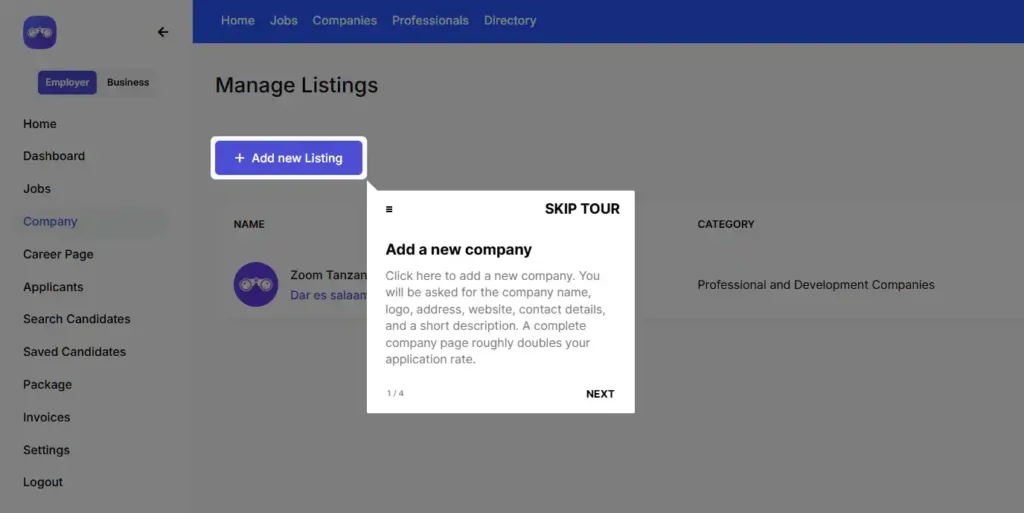
- In your dashboard, click Company on the left menu, then click “Add Listings”.
- Upload your company logo. The file must be under 1400kb.
- Enter your full company name and choose your business category.
- Write a clear description of what your company does.
- Add your website, social media links and phone number.
- Click “Publish”.
For full details on each field, read our guide How to List Your Business on Zoom Tanzania.
Step 3: Buy a Package
You need an active package to post jobs. Go to the packages, choose Light, Silver or Gold, and click “Get Started”. Pay using the Lipa number for Vodacom or Tigo (Yas). Your package is activated once we confirm your payment.
Step 4: Fill In the Job Form
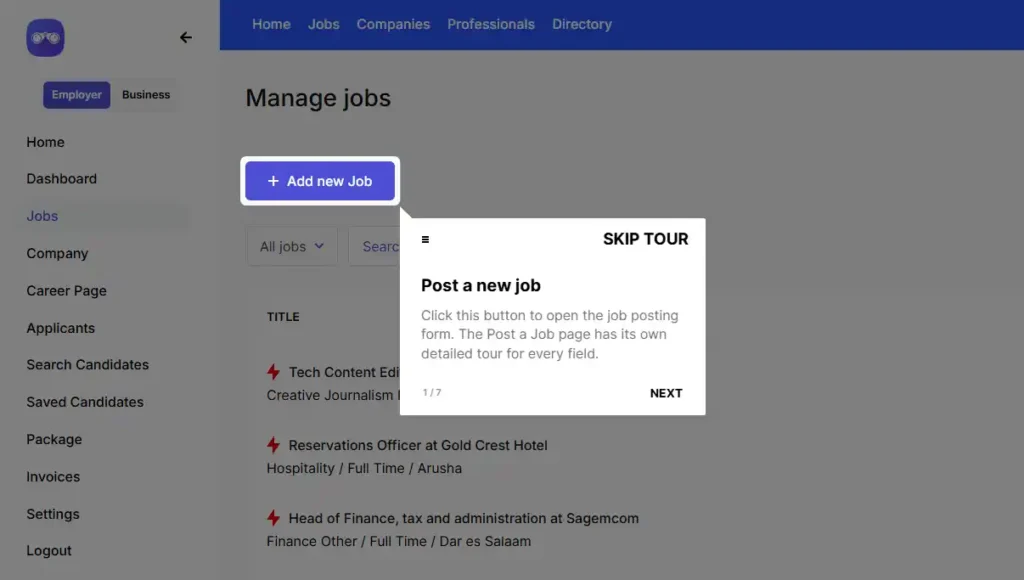
In your dashboard, click Jobs, then click “Add new Job”. The form has these sections:
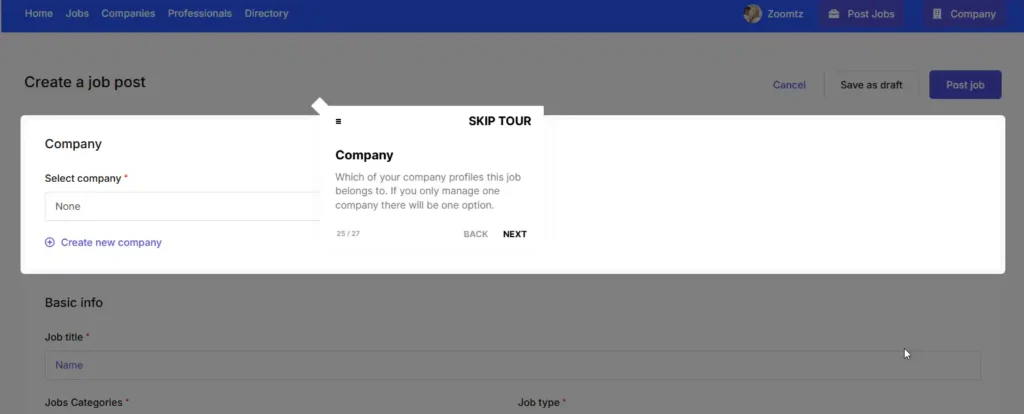
First, choose your company. Click “Select company” and pick the company profile you created in Step 2. The job is posted under this company, so candidates see its name, logo and description. If you haven’t created one yet, click “Create new company”.
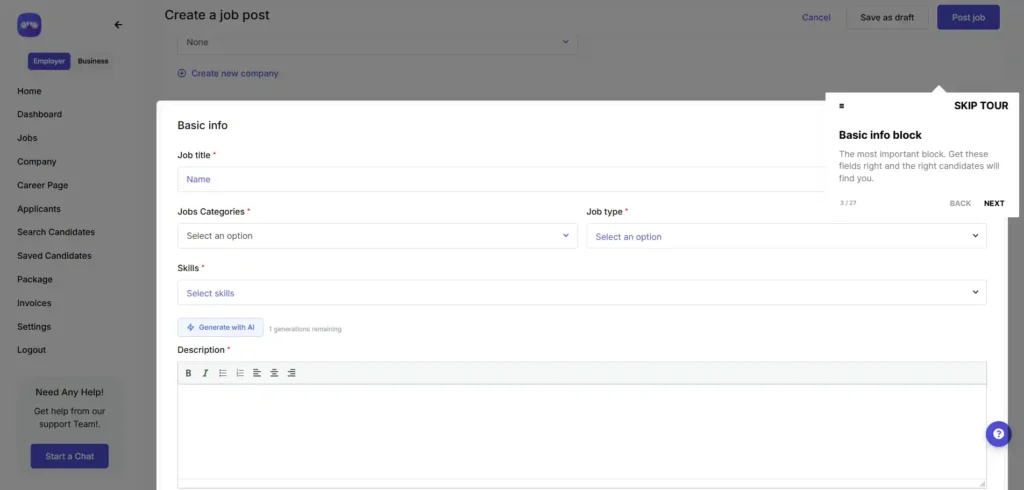
Basic info – Job title, category, job type, skills, description, career level, experience, qualification, number of people to hire, gender and the job closing date. The title, category, job type, skills and description are required.
- Salary – Show a salary range, a starting amount or a maximum, or mark it as negotiable. Choose the currency and whether it is paid per hour, day, week, month or year.
- Job apply type – Choose how candidates apply:
- By Email – The full application is sent to your inbox.
- External Apply – Candidates are sent to your own website or application system.
- Information To Apply – Show a phone number or instructions, such as where to deliver an application.
- Location – Where the job is based.
- Cover image, gallery and video – Optional. The cover image can be up to 1920 x 400px.
Need help writing the description? Click “Generate with AI” to get a draft based on your job title and details. Read it and edit it before you post.
When you are done, click “Post job”. If you are not ready, click “Save as draft” and finish it later.
Step 5: Wait for Approval
Every job, company profile and business listing on Zoom Tanzania is checked by our team before it goes public. We approve listings based on quality, so candidates only see real and complete jobs. While we check your listing, you will see a Pending label next to it in your dashboard. Once it is approved, it goes live.
How fast your job is reviewed depends on your package: next day for Light, within 4 hours for Silver and fast-track for Gold.
Important to Know
- Make sure your company and job details are complete and correct. This helps your listing pass review quickly.
- You can manage all your jobs from Jobs in your dashboard. From there you can edit, pause or close a job, and view applicants.
Pro Tip
If your package includes featured jobs, open the menu on your job in Jobs and click “Mark featured”. Featured jobs stand out in the listings, so more candidates see them.