Your candidate profile helps employers find you for jobs that match your skills. Before you start, you need a candidate account. If you don’t have one yet, follow our guide How to Create Candidate Account on Zoom Tanzania.
Your Privacy Comes First
We take your privacy very seriously. Here’s how your profile is protected:
- Hidden by default. Your profile is not visible to anyone until you complete it and click “Publish”.
- Full details for employers only. Only employers can see your full profile. Anyone else sees a short preview, with most of your name and your photo hidden.
- You decide what is shown. We only show employers the information you allow us to show.
You Can Apply Without a Profile
If you don’t fill in your profile, you can still apply for jobs, but your profile will never be visible to employers. You will need your CV to apply for jobs.
How to Fill In Your Profile
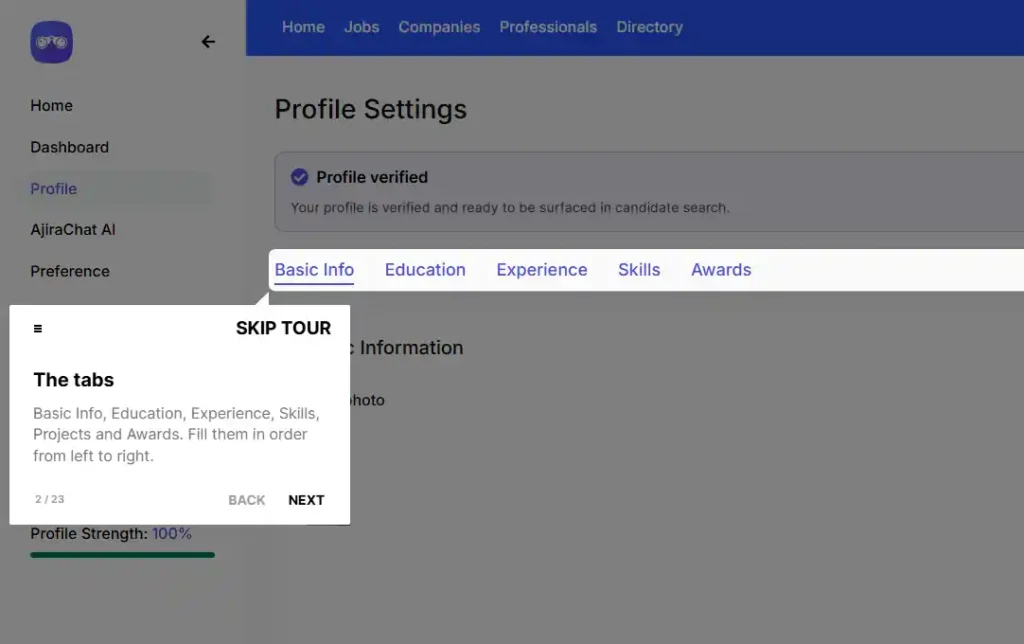
- Log in to your candidate account and click Profile in your dashboard.
- Basic Information – Add your photo, first and last name, phone number, email, current position, qualification, years of experience and location. Write a short description about yourself.
- CV Attachment – Upload your CV.
- Job categories – Pick up to 5 job categories you are interested in.
- Skills, Experience and Education – Add your skills, the jobs you have done and where you studied.
- Click “Publish”.
Complete the Verification Checklist
Your profile page shows a Verification Checklist. Complete all 8 items to get your profile verified and appear in the top recommendations to employers:
- CV
- Work experience
- Education
- Profile picture
- Phone number
- About you
- Job categories
Control Who Can Find You
In your dashboard, click Preferences, Here you choose how employers can find you:
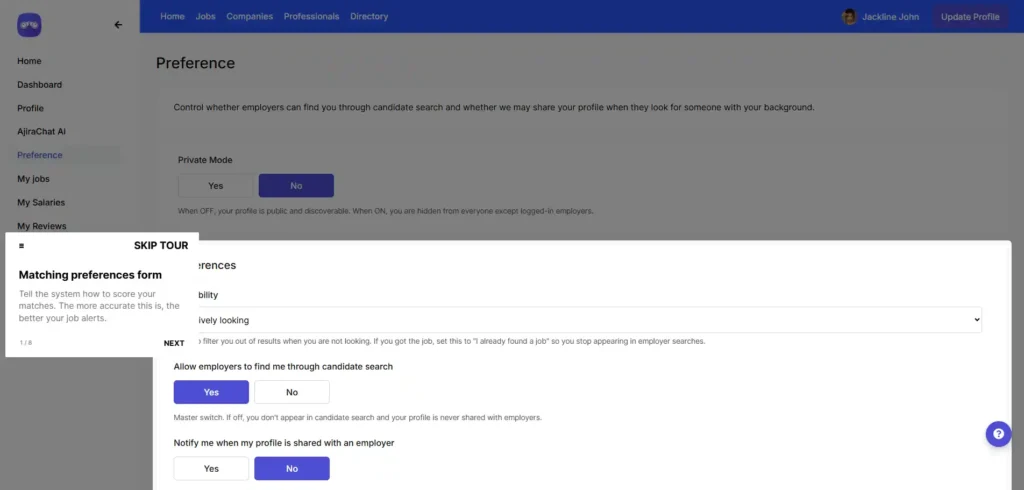
- Availability – Tell employers if you are actively looking, open to offers or only want part-time work. If you found a job, choose “I already found a job” to stop appearing in employer searches.
- Allow employers to find me through candidate search – Choose Yes or No.
- Notify me when my profile is shared with an employer – Get a short email each time. The employer’s name is not included.
- Profile visibility – Choose Public to let employers browse your profile in the Professionals directory, or Search results only to hide it from the directory. With Search results only, employers can only see your profile if they find you through candidate search.
Click “Save preferences” when you are done.
Pro Tip
Choose your 5 job categories carefully. Employers search by these categories, so the right ones put you in front of the right jobs.